
Student Guide
Complete guide for students using the Lumus LMS platform
Student Guide
Welcome to the Student documentation. As a student, you have access to view assignments, submit your work, check grades, track attendance, and manage your profile in the Lumus LMS platform.
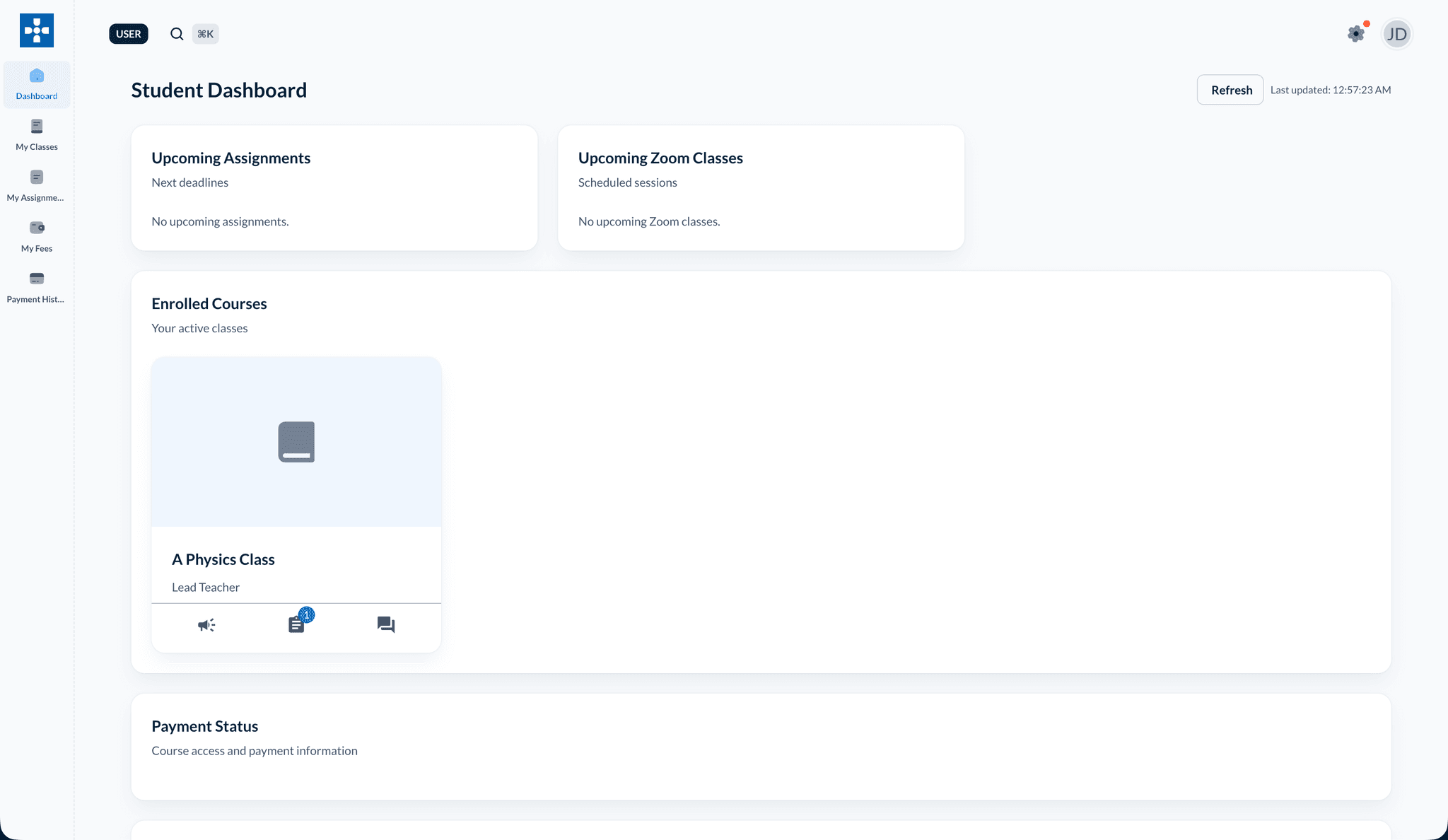
Overview
The student dashboard provides you with easy access to all your academic activities. You can view your classes, check assignments, submit work, view grades and feedback, and track your attendance and progress.
Key Features
My Classes
View all your enrolled classes, access course content, and see class schedules
Course Content & Modules
Access organized course modules, videos, files, and learning materials
Announcements
View class announcements and important updates from your teachers
Viewing Assignments
Find and view all your assignments with details, requirements, and deadlines
Submitting Assignments
Learn how to submit your assignments with files and text responses
Viewing Grades
Check your grades, read teacher feedback, and track your academic performance
Attendance Tracking
View your personal attendance records, statistics, and attendance history
Files & Resources
Access class files, resources, and materials shared by your teachers
Payment Status
View payment status for your enrolled classes and track fee payments
Performance Tracking
Track your academic performance, view progress, and see detailed analytics
Profile Management
Update your profile information, account settings, and personal details
Dashboard Navigation
When you log in as a student, you'll see:
- My Classes: All classes you're enrolled in with quick access
- Upcoming Assignments: Assignments with approaching deadlines
- Recent Grades: Latest grades and feedback from teachers
- Attendance Summary: Your attendance overview and statistics
- Course Content: Quick access to course modules and materials
- Announcements: Latest announcements from your classes
- Quick Stats: Overview of your academic progress and performance
Getting Started
- Log In: Access the platform with your student credentials
- Explore Dashboard: Familiarize yourself with the dashboard layout
- Check Assignments: Review your upcoming assignments and deadlines
- View Classes: See all your enrolled classes and schedules
First Time Login
If this is your first time logging in, make sure to update your profile and change your password for security.
Common Tasks
Checking Assignments
Navigate to Viewing Assignments to see all your assignments, their requirements, and due dates.
Submitting Work
Go to Submitting Assignments to learn how to upload files and submit your completed assignments.
Checking Grades
Access Viewing Grades to see your scores, read teacher feedback, and track your academic performance.
Next Steps
Explore the detailed guides for each feature: